Resetting Password
To reset your password, follow these steps:
- On login screen, click the I have forgotten my password link.
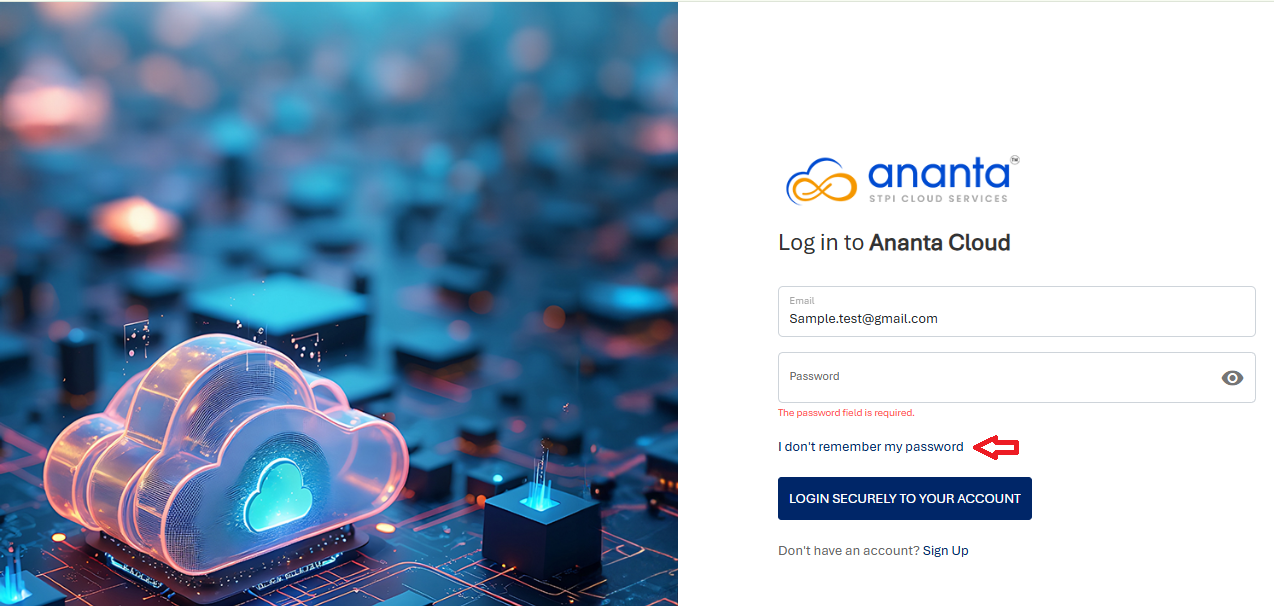 The following screen appears:
- Enter you email ID and verify via reCAPTCHA.
- Click the Send Password Reset Instructions button.
If the email entered is valid and exists on the system, instructions to set a new password will be sent over email.