Scaling Kubernetes Clusters
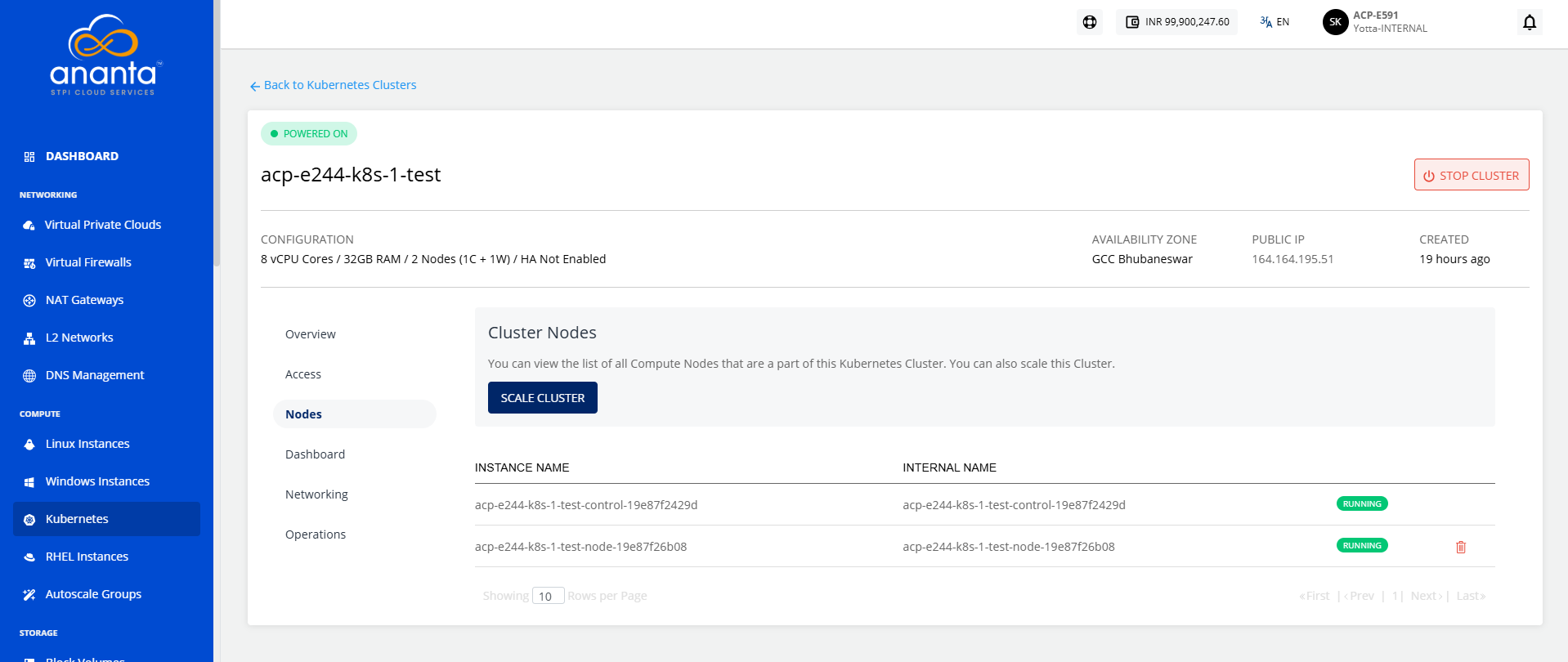
Ananta Cloud Console allows for manual and automatic cluster scaling. Navigate to Compute > Kubernetes, click the particular Kubernetes cluster, and select the Nodes tab.
Manually Scaling a Cluster
To manually scale a cluster, follow these steps:
- Under Nodes, click on SCALE CLUSTER, and a pop over will appear; keep autoscaling disabled.
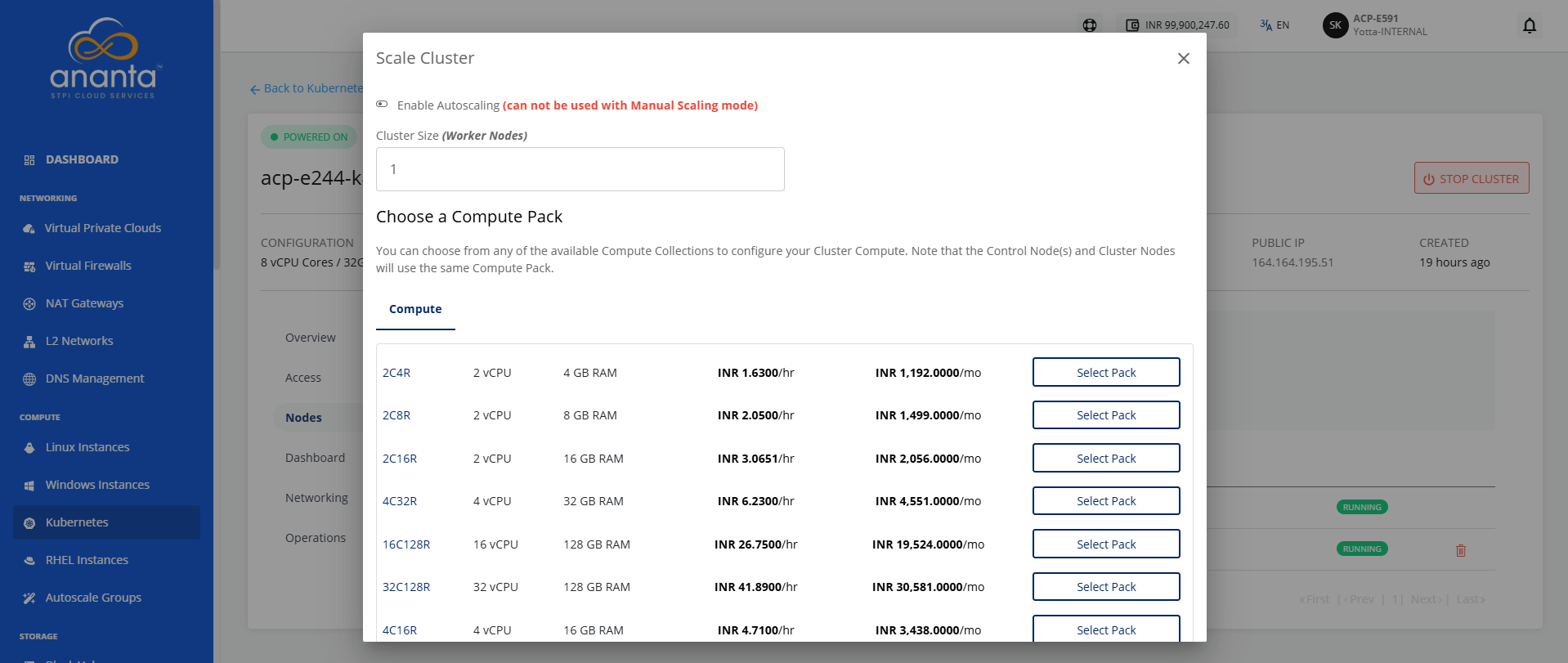
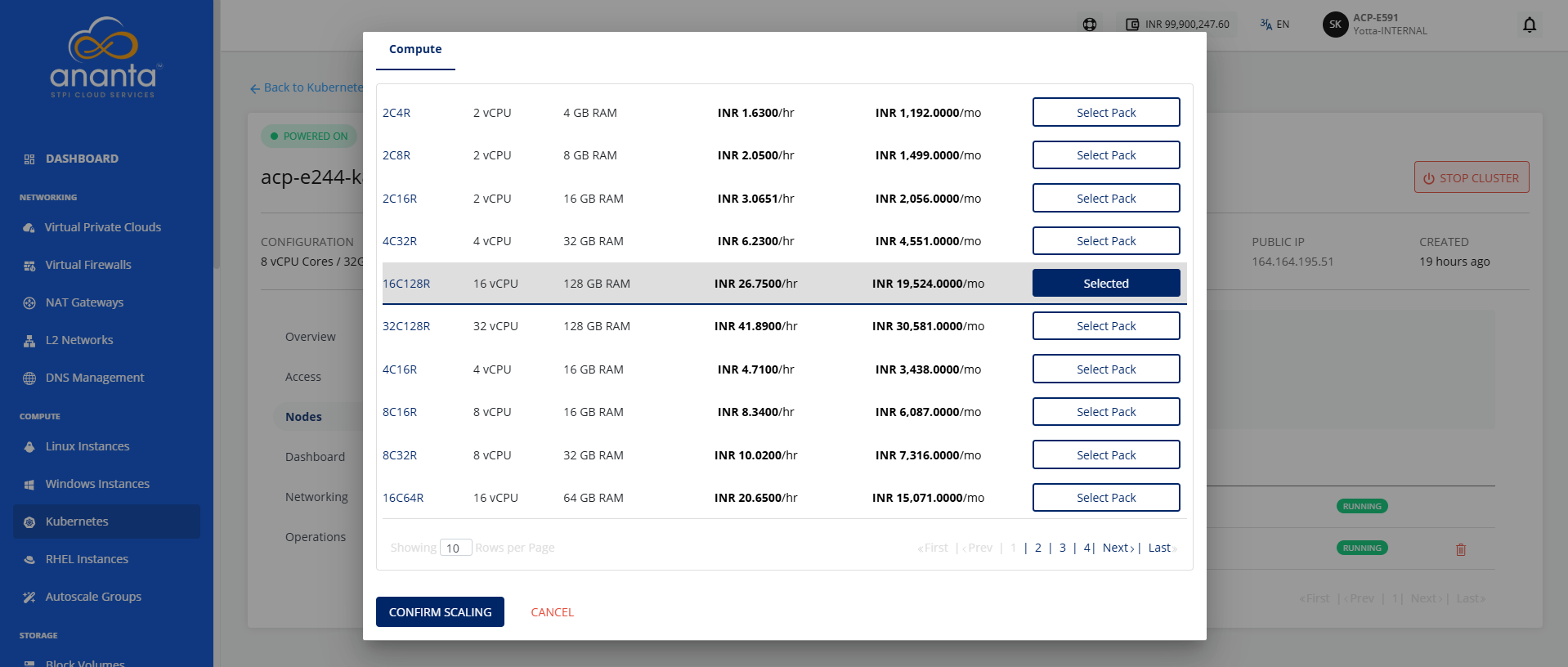
- Select one of the available compute packs.
- Click on CONFIRM SCALING.
Automatically Scaling a Cluster
To automatically scale a cluster, follow these steps:
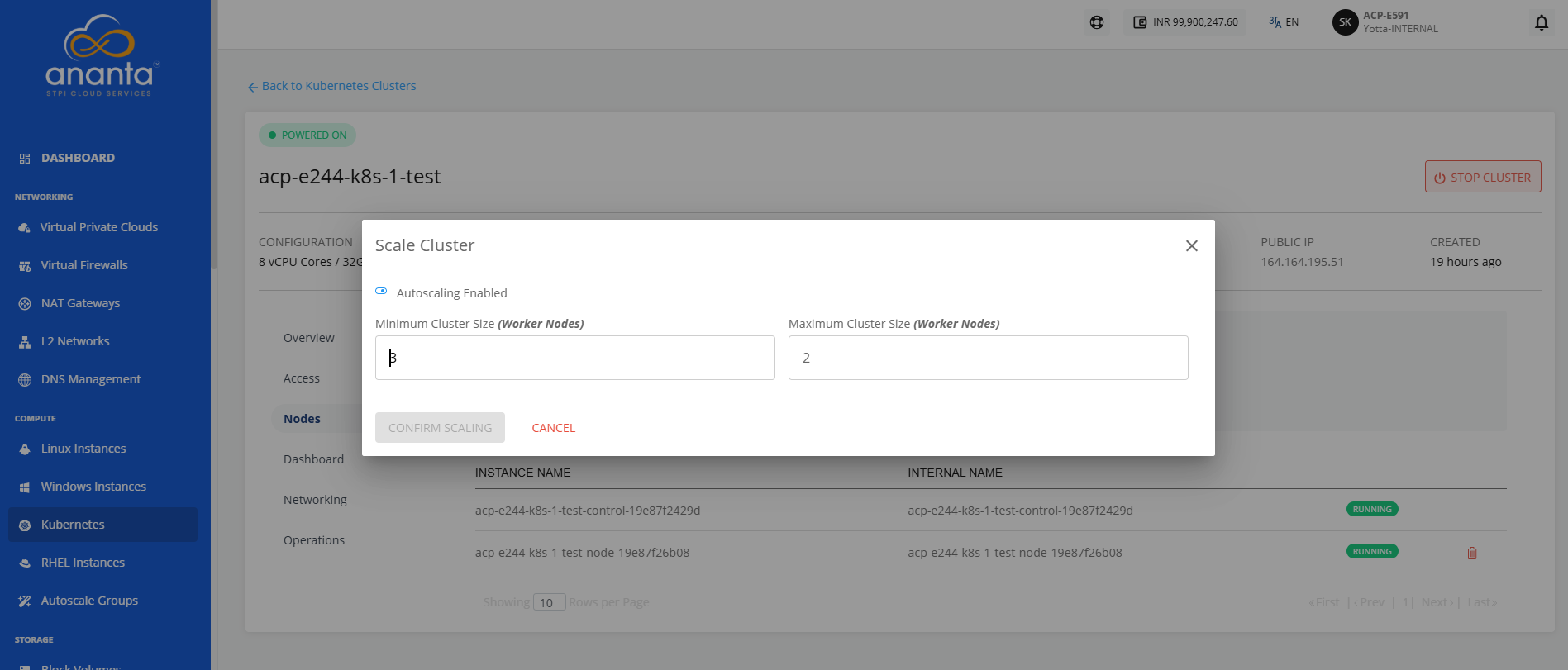
- Navigate to the Nodes tab, click on SCALE CLUSTER, and a popover will appear, enable autoscaling by flipping the switch.
- Enter the minimum and maximum number of worker nodes.
- Click CONFIRM SCALING.
note
If the Scale operation fails, stop the cluster and retry the process.