Configuring Alerts on Windows Instances
Alerts get triggered whenever a configured condition is met. You can create multiple alerts on an instance. Alerts are sent to recipients that you can define and manage.
You can configure alerts for instances running on NGC. You can define alerts for Instances and configure the email recipients for these alerts using an easy-to-use interface.
Navigate to Compute > Windows Instance, click the particular Windows Instance Name, and access the Alerts tab.
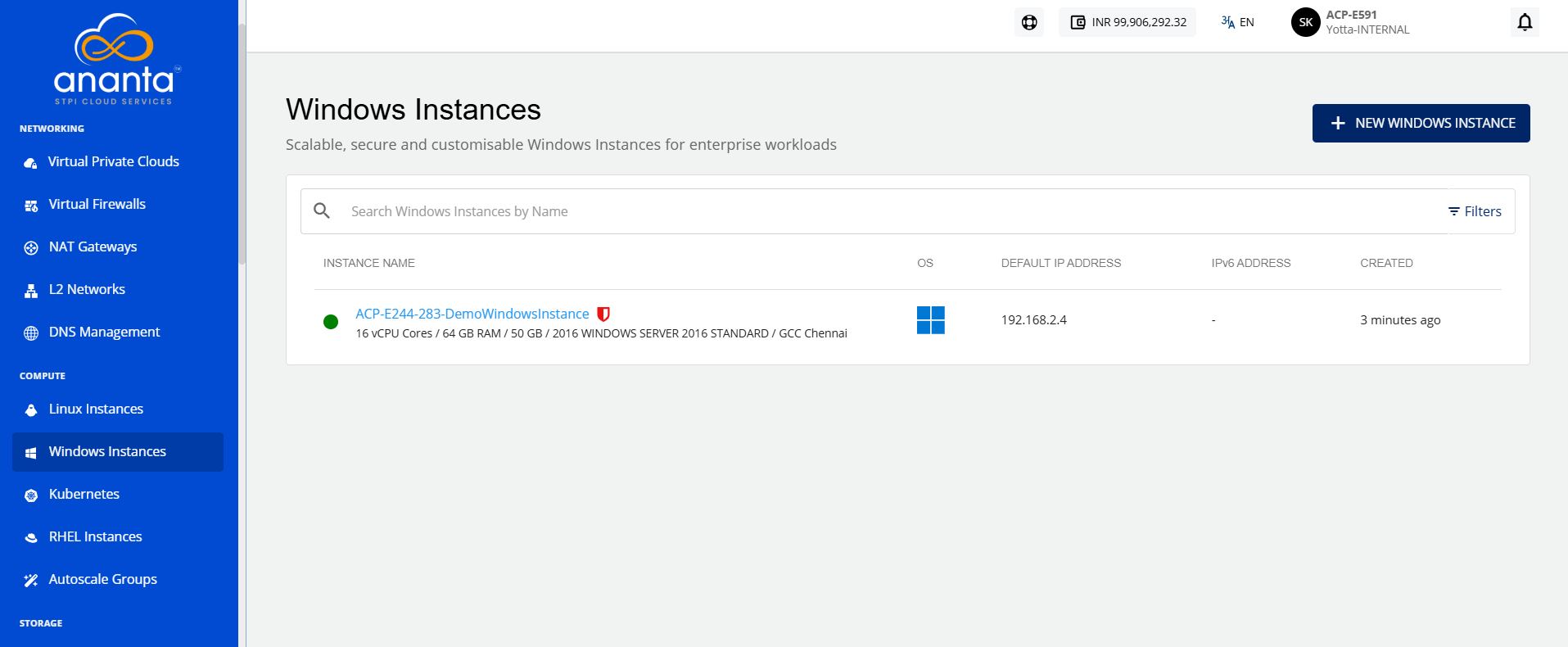
Instance Alerts
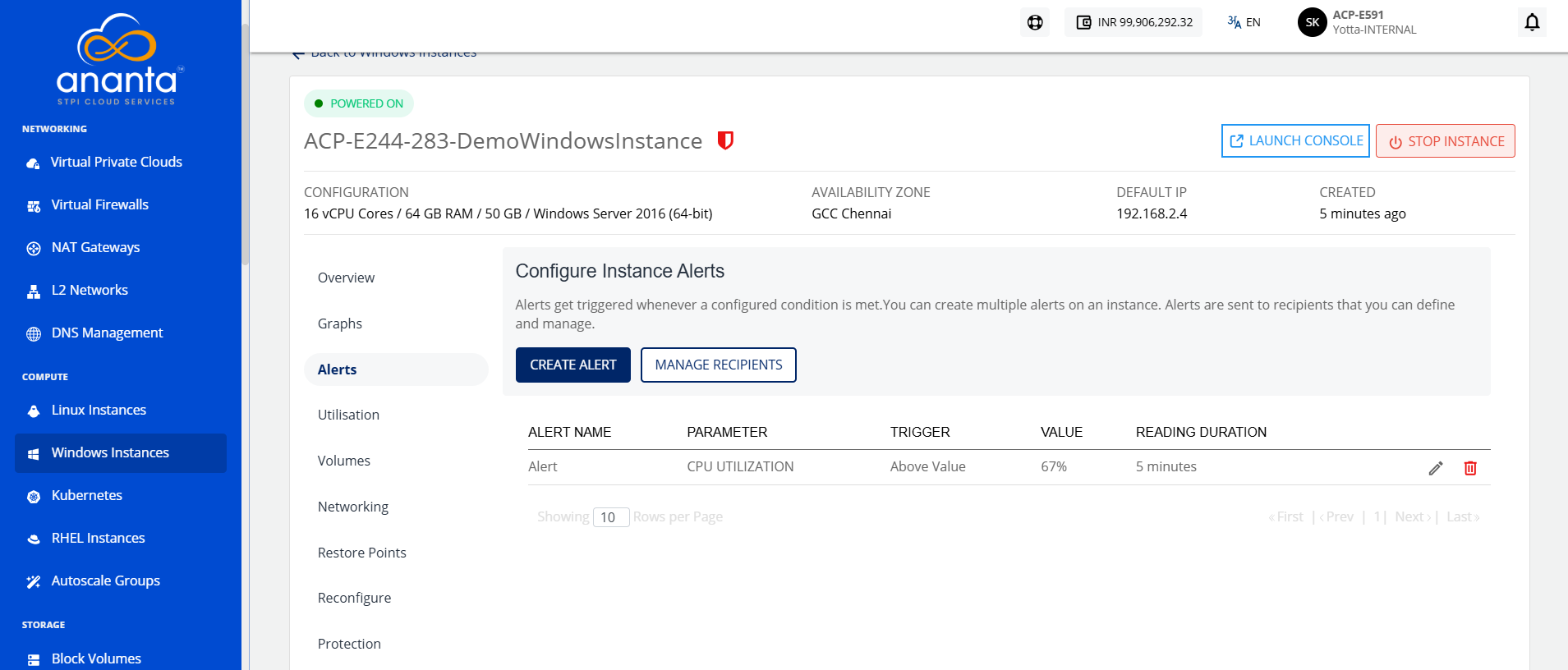
The Alerts tab lists all the alerts already configured for that particular Windows Instance. In addition, it will show the following details:
- Name for the alert
- Parameter
- Trigger When
- Value
- Reading Duration
Creating an Alert
To create an alert, follow these steps:
- Click the Create Alert button. The following screen appears:
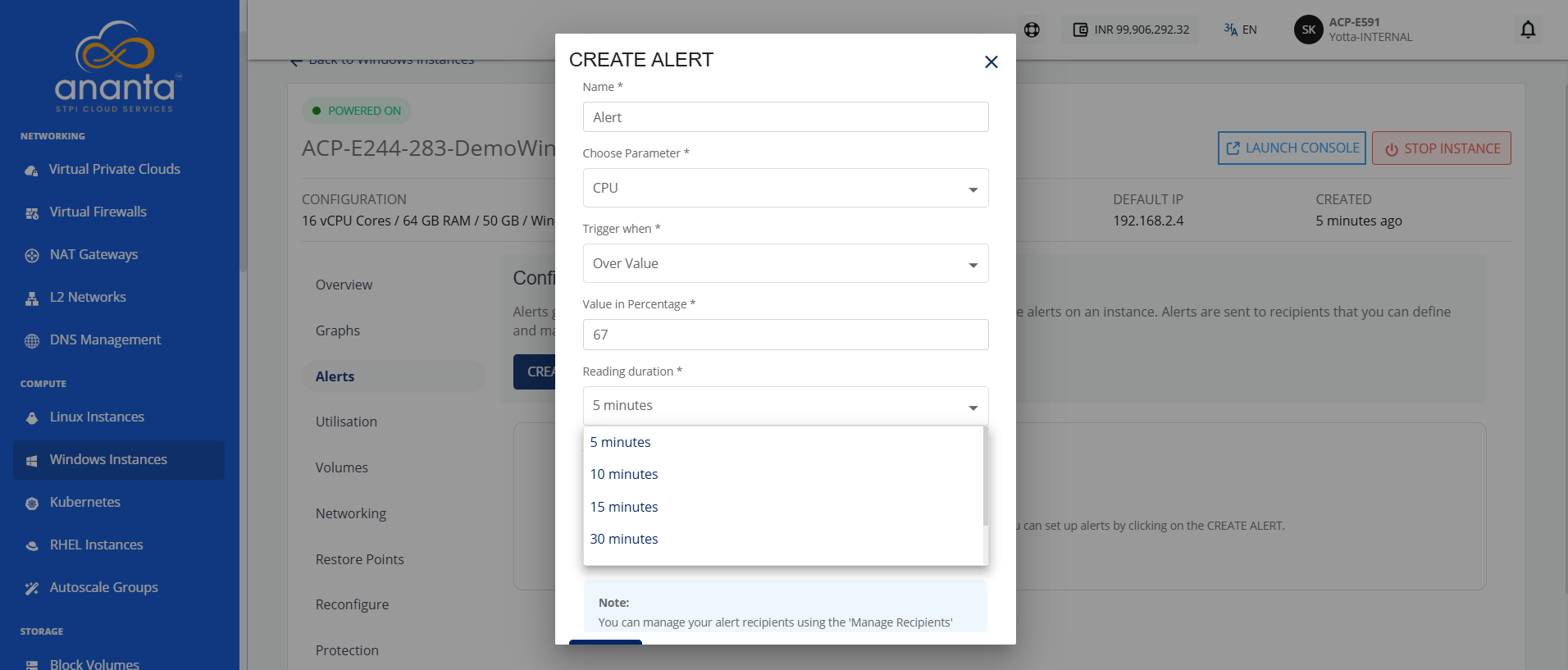
- Provide the following details:
- Name: You can define the name for your alert.
- Choose Parameter: This option allows you to define what parameter needs to be monitored to trigger the alert email. The NGC supports CPU, RAM, Disk, 1-min Load Average, 5-min Load Average, and 15-min Load Average parameters.
- Trigger when: This set of options lets you define whether to trigger above or below a custom value.
- Value in Percentage: This option allows you to define the threshold value in percentage for alert creation.
- Reading duration: This option lets you define the breach window, that is, the duration for which the breach must be consistent to trigger the alert email.
- Add Recipients: This option lets you add recipients from the dropdown.
Configuring Recipients
To configure recipients, follow these steps:
- Click the Manage Recipients button. The following screen appears:
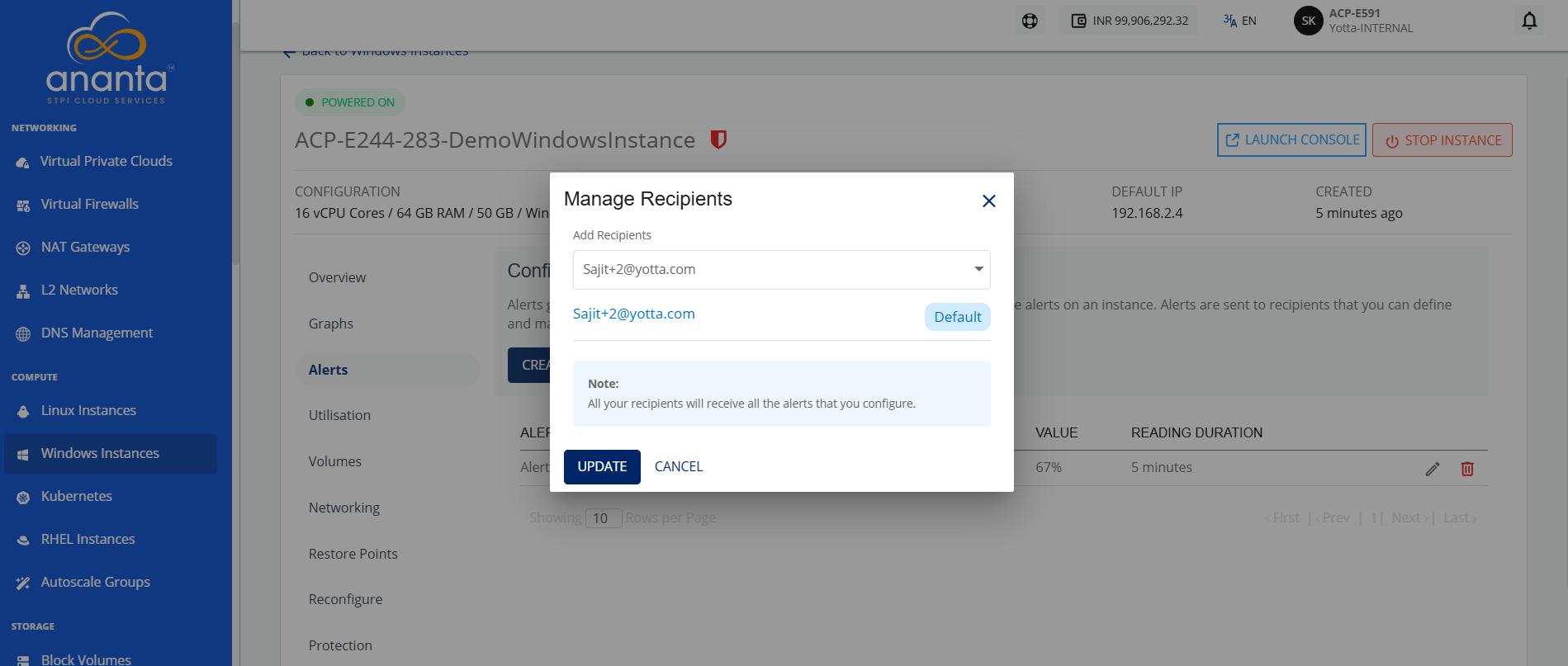
- Click the dropdown icon in the Add Recipients field to view the recipients list.
- Select the recipients from the dropdown.
- Click the Update button.
All configured recipients will receive all the set-up alerts. If no email ID is configured or added, then no email will be sent for the already configured alerts.