Volume Management with RHEL Instances
To view the disk attached to particular instance, navigate to RHEL Instances Screen and access the Volumes tab.
RHEL Instances on Ananta work with the Block Volumes Service and let you carry out basic disk operations.
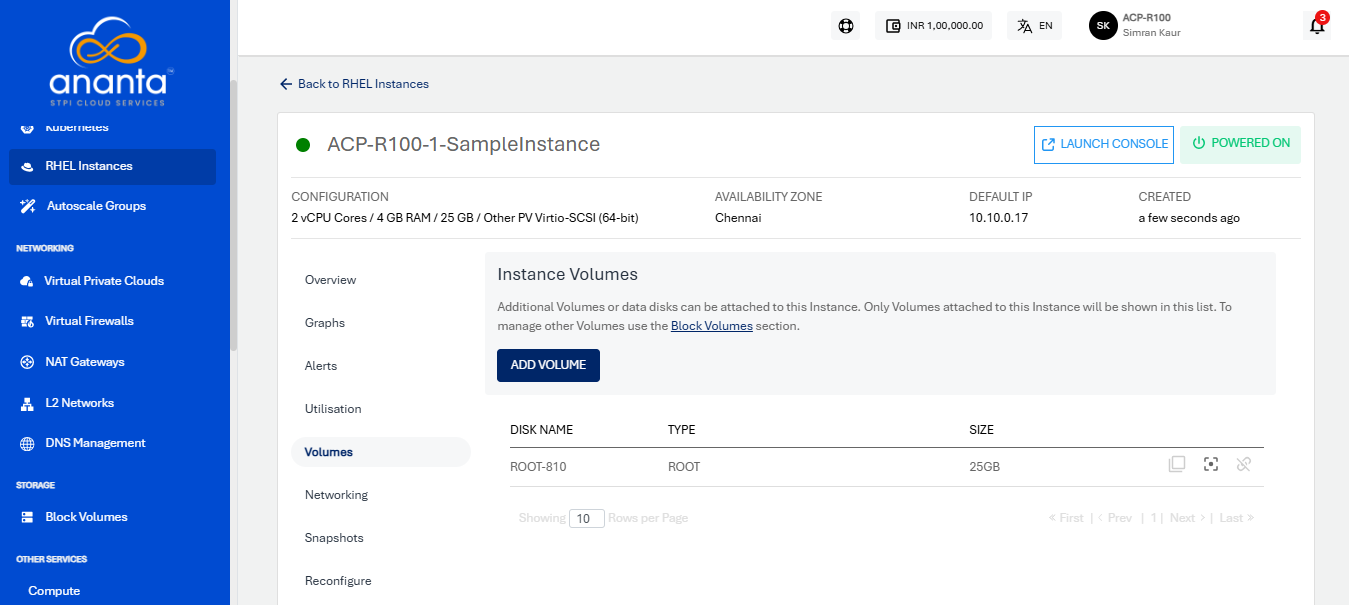
The following are the quick actions:
- Create Template - To enter the image name and description, click the icon
- Create Snapshot - To create a Volume snapshot, click the icon.
- Detach/attach - This option attach/detach the volume to/from the instance.
note
Volume-level operations are available as part of the Block Volumes service.
note
Create Template and Restore point actions are not available for encrypted offerings.