Protecting Linux Instances
Enabling protection ensures that all instances are protected while all the threats are tracked.
To enable instance protection, follow these steps:
- From Linux Instances Screen, navigate into a Linux Instance and access the Protection tab.
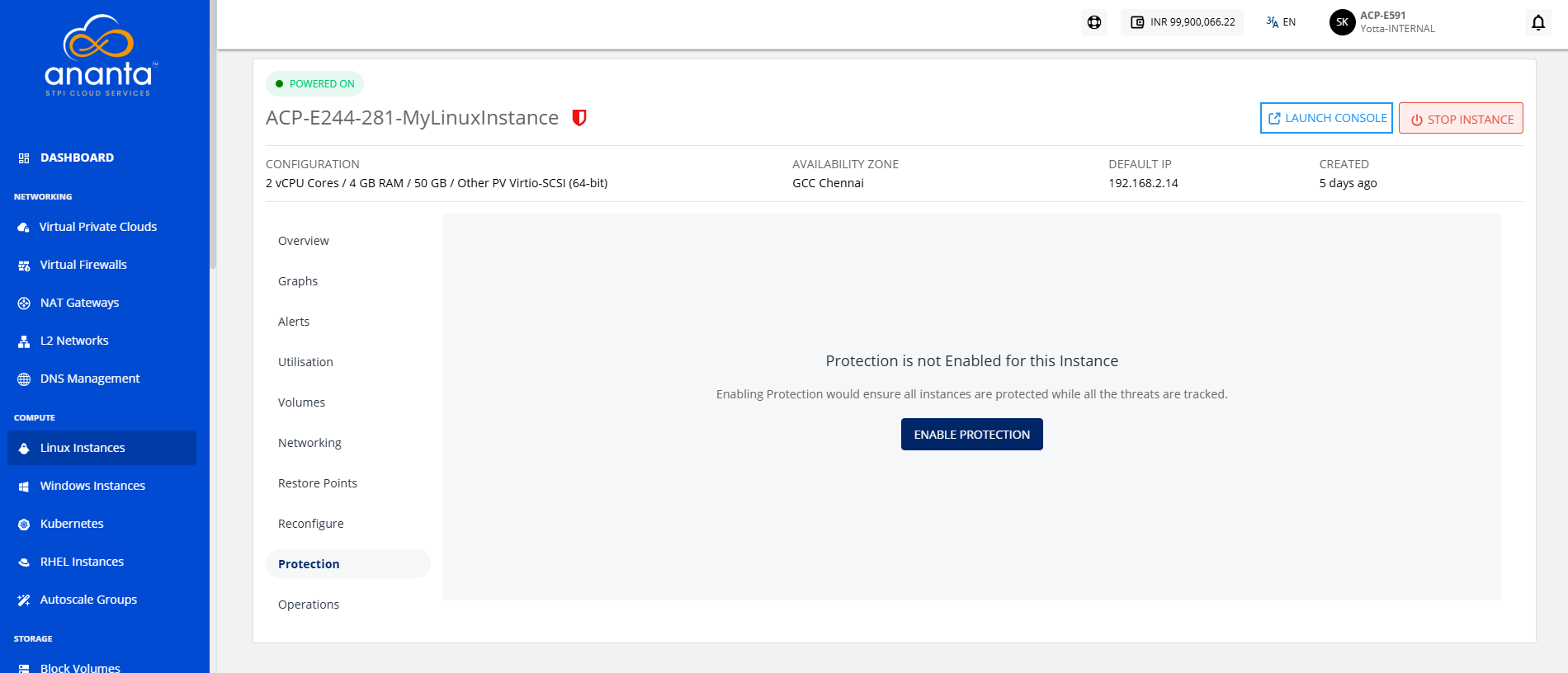
- Click the Enable Protection button. The following screen appears where the standard protection service is selected.
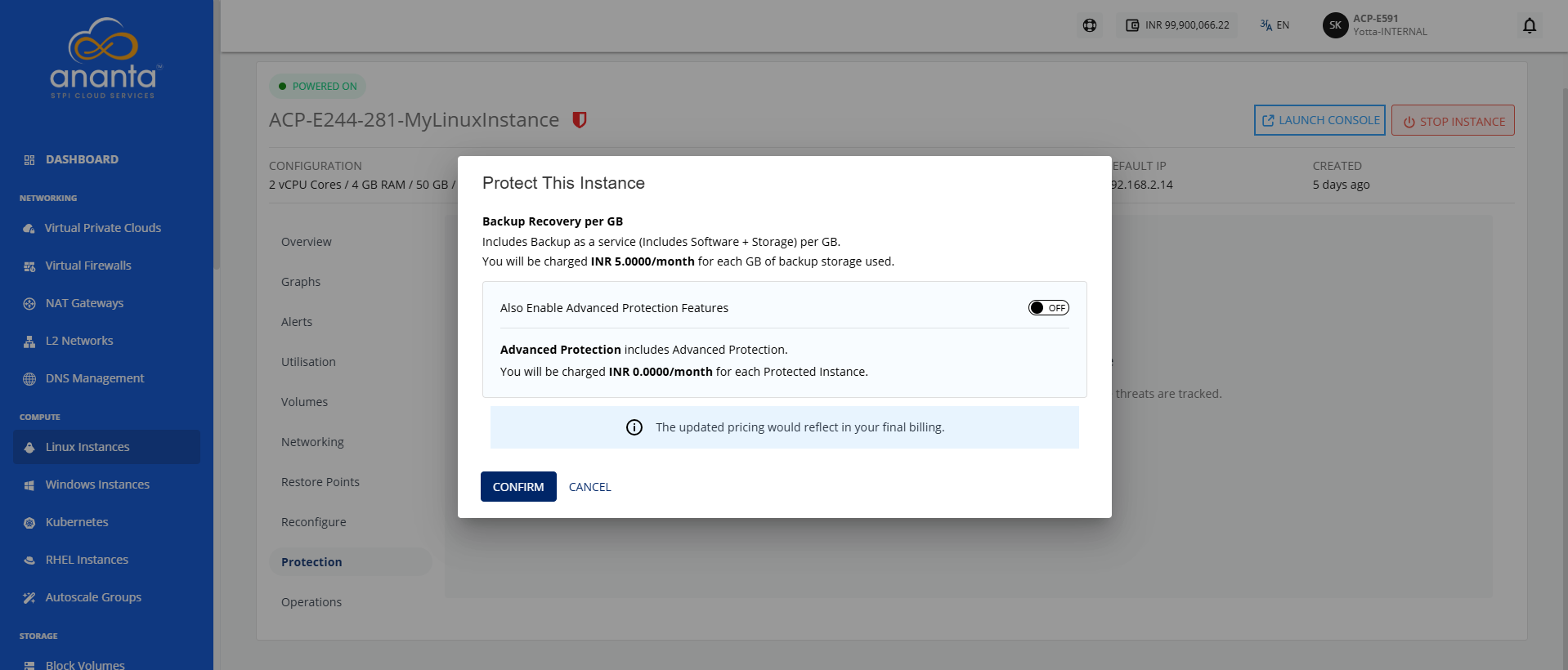
- To enable advanced protection features such as antivirus, anti-malware and backup/restore service for the SQL databases, turn on the toggle button.
- Click Confirm. The protection gets enabled and the following screen appears:
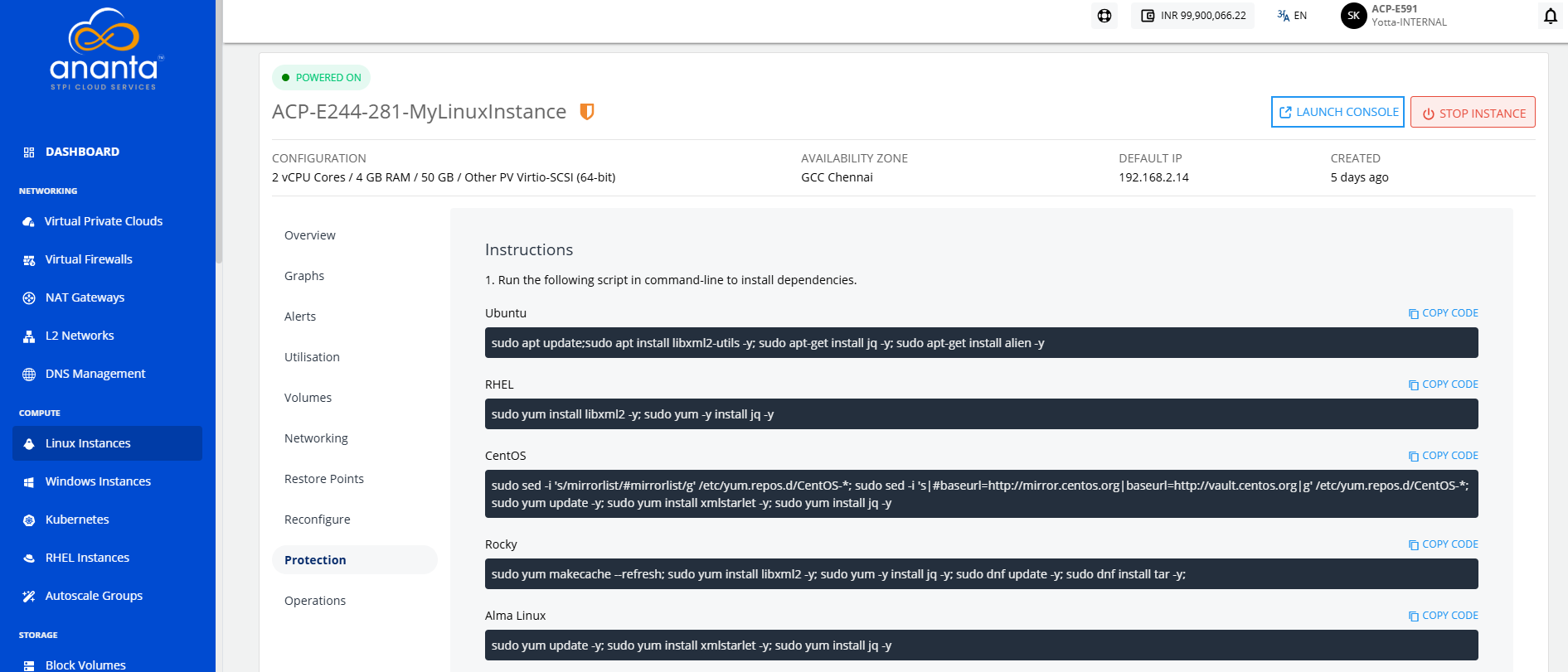
- Run the respective script (mentioned under Point No. 1) in command-line to install dependencies.
- Run the script mentioned on the screen (mentioned under Point No. 2) in command-line to install Protection Agent.