Working with Linux Restore Points
Instance Restore Points allow you to create point-in-time copies of an Instance that preserve all attached data volumes and, optionally, the CPU and memory state. These restore points can be used to quickly restore the Instance to the exact state it was in when the recovery point was created.
Navigate to Compute > Linux Instance, click the particular Linux Instance Name, and access the Restore Point tab.
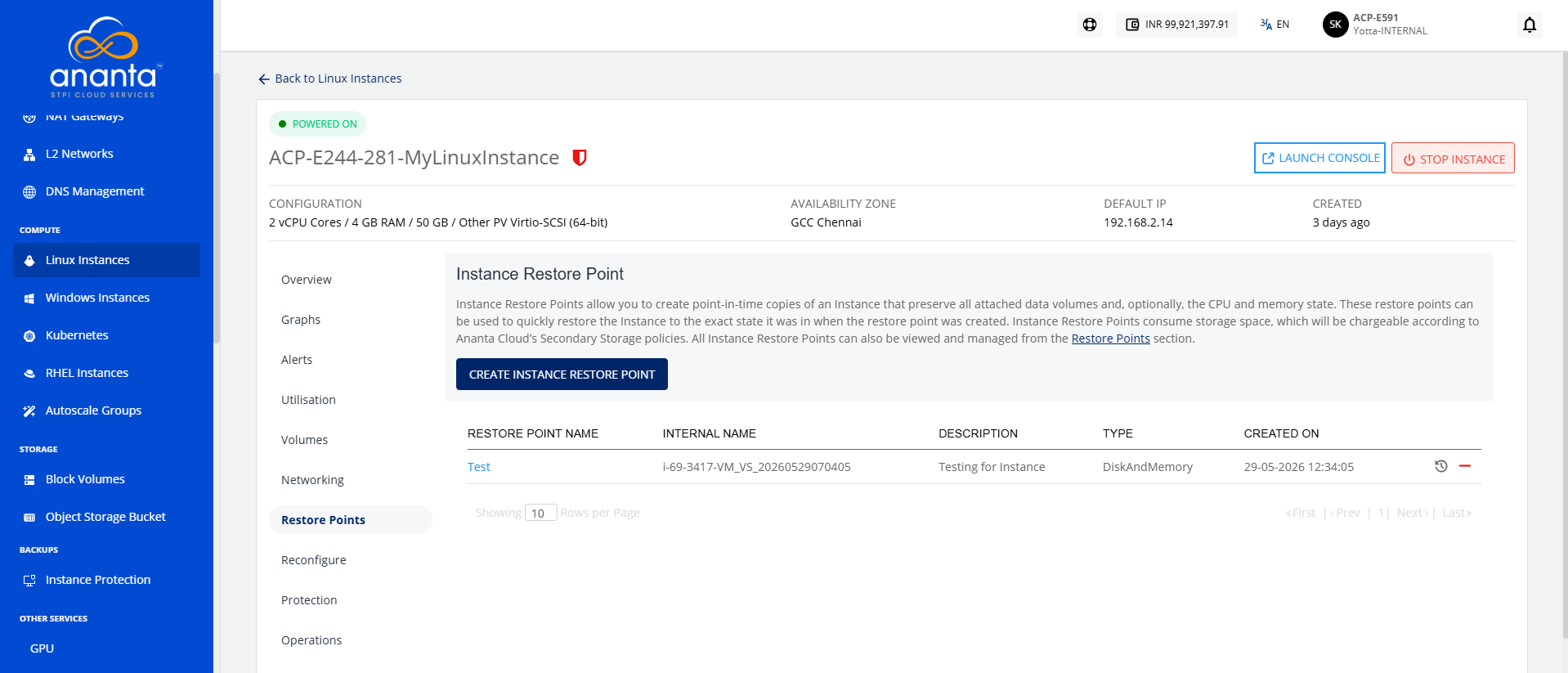
A Restore Point lists the following details:
- Restore Point Name
- Internal Name
- Description
- Type
- Created On
The following quick options are available:
- Restore from Instance Recovery Point
- Delete Recovery Point
Creating a Restore Point
To create an Instance Restore Point, follow these steps:
- Click the Create Instance Restore Point button. The following window appears:
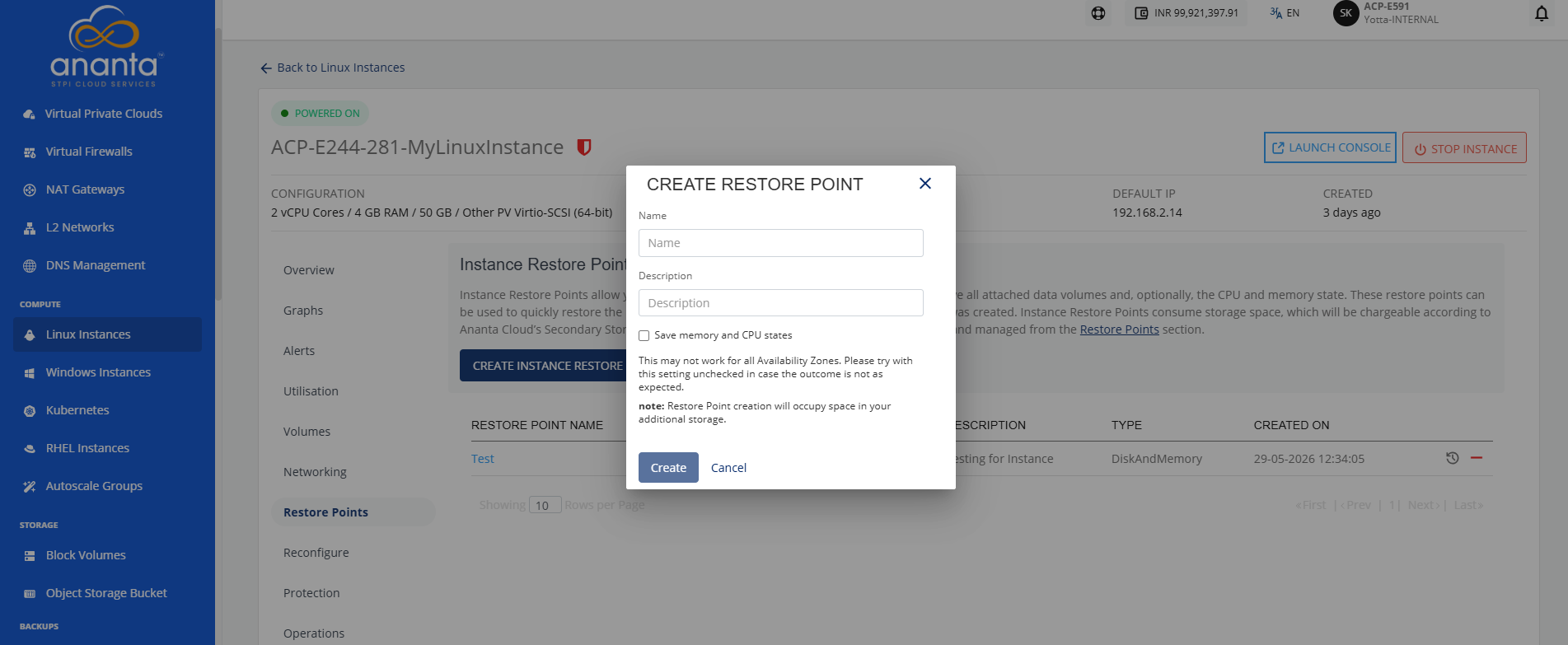
- Enter the name and description of the restore point.
- Select the save memory and CPU states option.
- Click the Create button.
note
An Instance Restore Point can only be created when the instance is powered on.