VPC Management and Basic Operations
VPC management offers the following operations. These are basic VPC management actions and don't have any impact on the actual network configurations.
Reconfiguring a VPC
The Reconfigure section/tab will list your current subscription details and allow you to reconfigure the networking pack, or switch between hourly and monthly pricing.
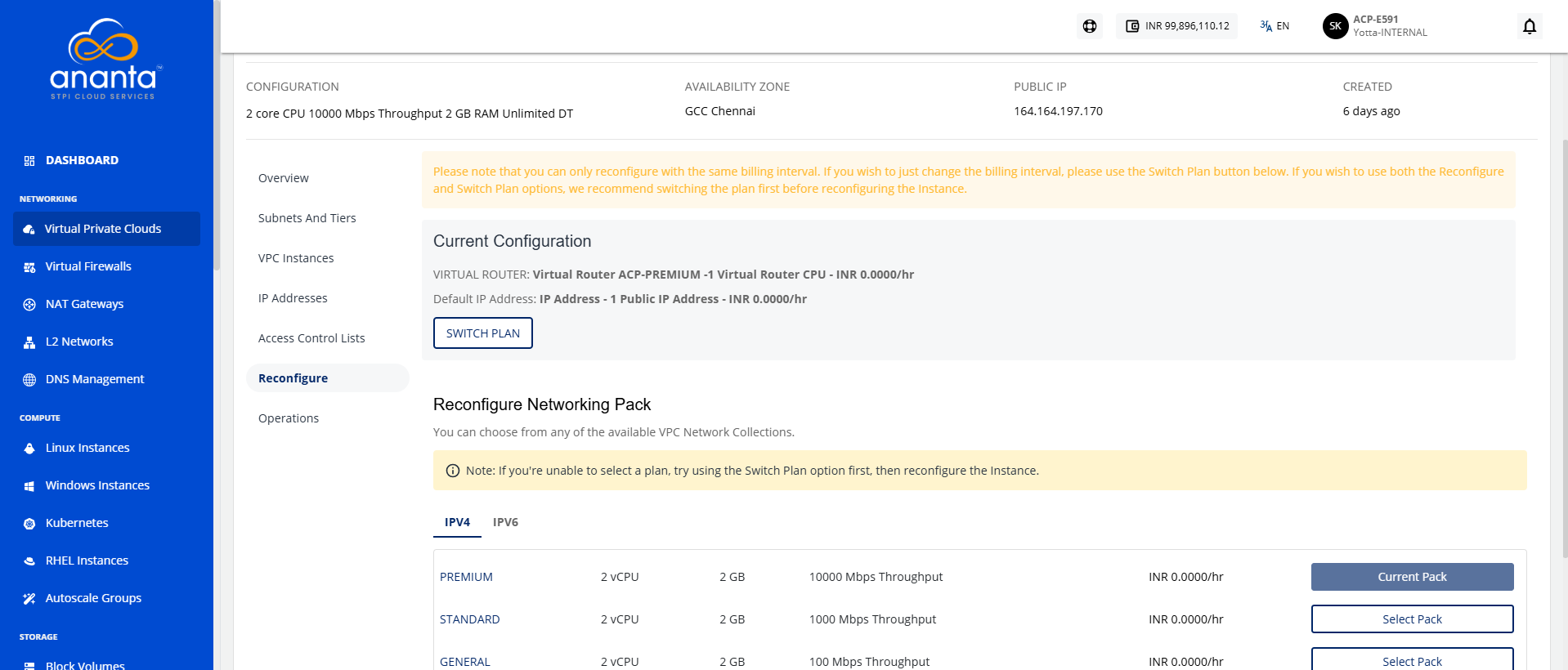
You can only reconfigure with the same billing interval. If you wish to change the billing interval, please use the Switch Plan button. It is recommended to switch the plan first before reconfiguring the instance if you wish to use both the Reconfigure and Switch Plan options. In either case, you will be charged based on the reconfiguration, not the existing plan.
Powering ON/OFF the Virtual Router
Switching the VPC power state is possible using the 'power status' button on top. This will usually be green if the VPC is powered ON, and grey if powered OFF.
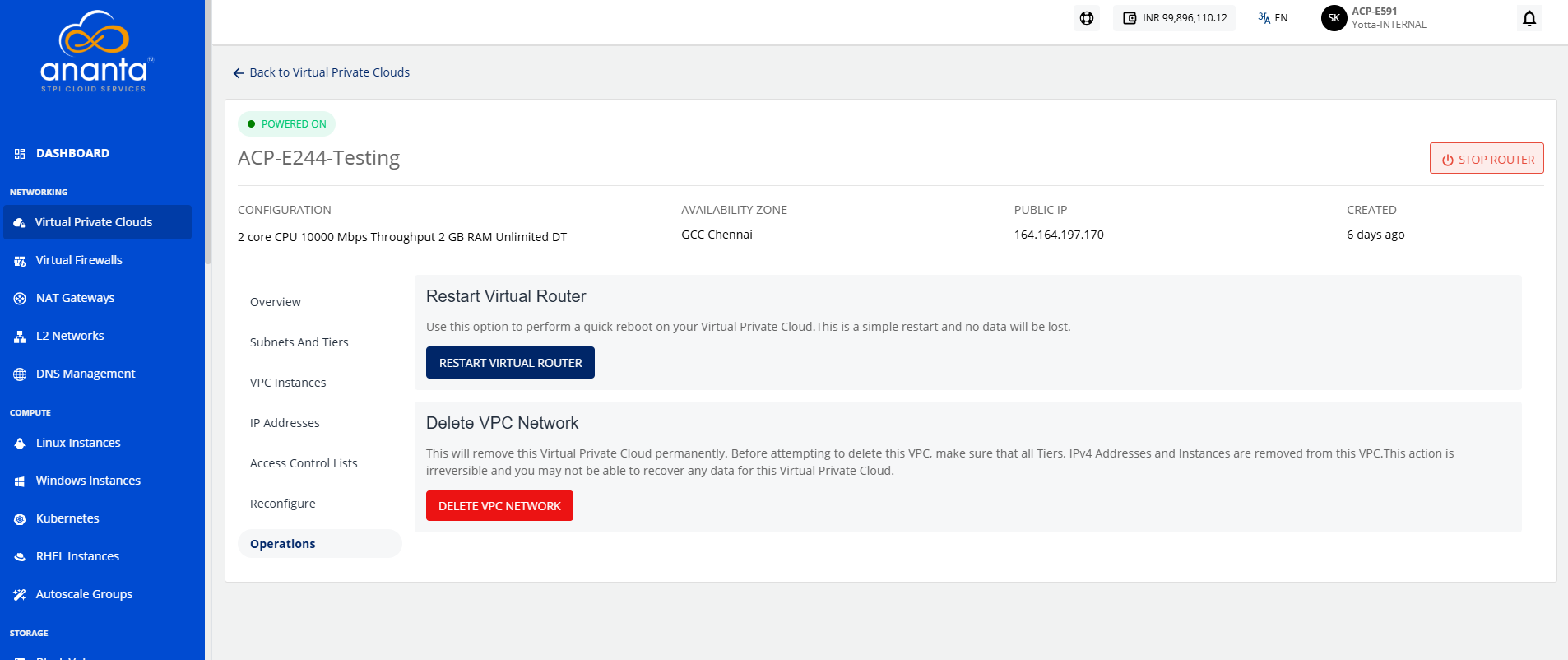
Additionally, a VPC restart is possible using the RESTART VIRTUAL ROUTER option available under the Operations tab/section. This will perform a quick reboot of the VPC. This is a simple restart, and no data will be lost.
Deleting a VPC
To delete a VPC, navigate to the Operations > Delete VPC Network button. Deleting a VPC will remove it permanently. Before attempting to delete this VPC, ensure that all Tiers, IPv4 Addresses, and Instances are removed from this VPC.
This action is irreversible, and you may not be able to recover any data for this VPC.